

Billing software thatalso keeps the khata
A kirana counter runs on two things: billing fast enough that nobody waits, and remembering exactly what each regular customer still owes. JROne does both on the same screen, so the udhaar register stops being a separate notebook that only you can read.
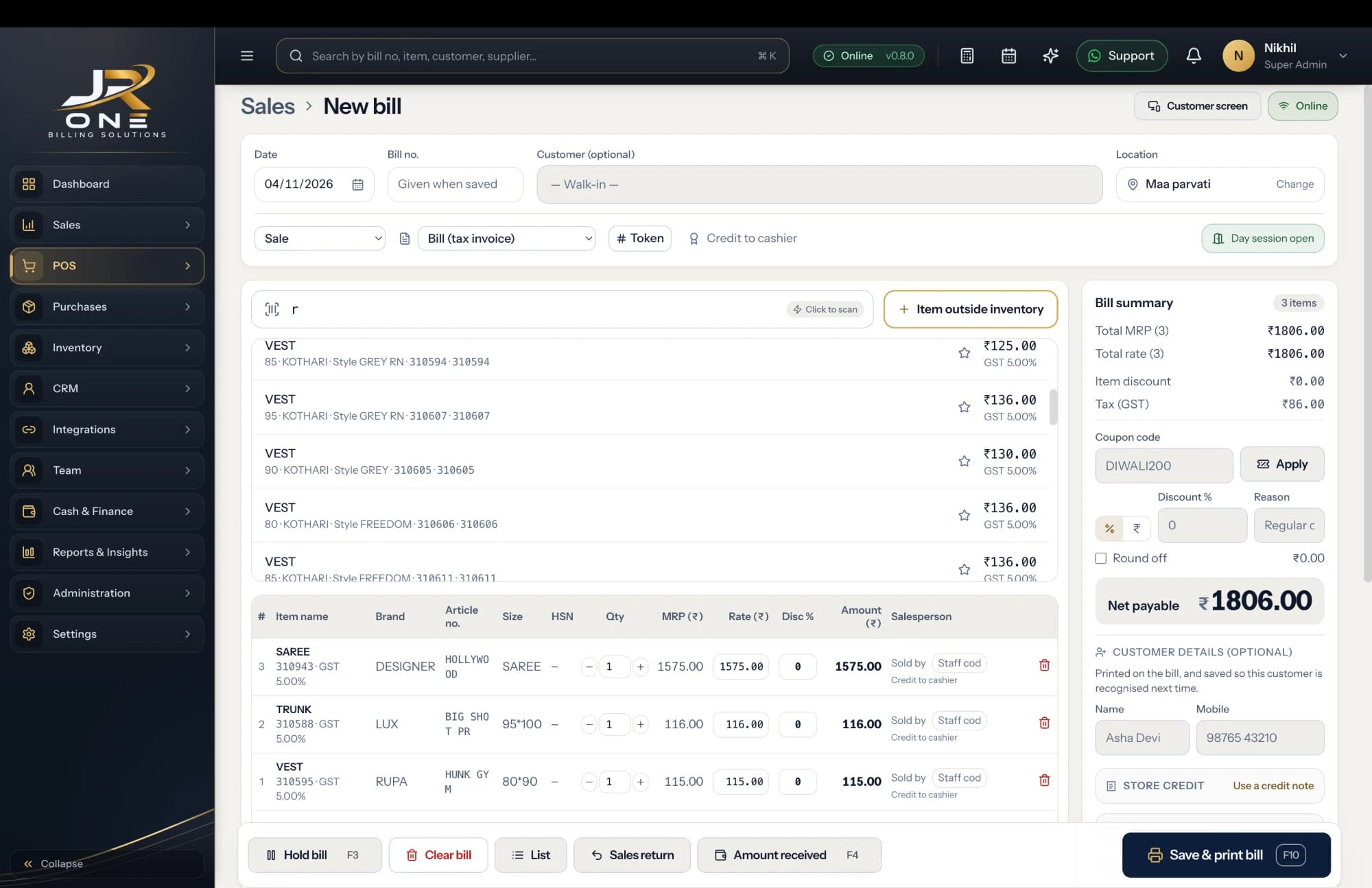
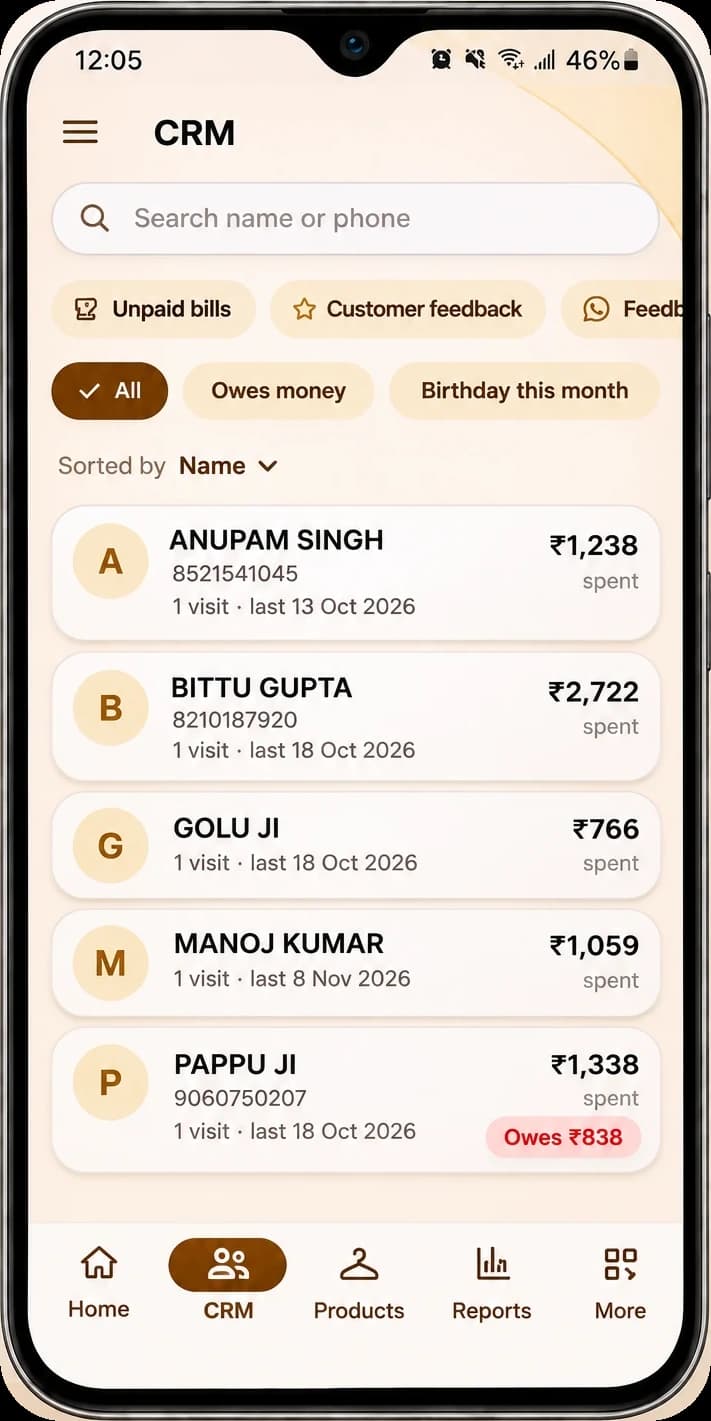
The JR ONE POS, with the mobile app showing Customers
Explore featuresThe khata, without the notebook
Every customer carries a running balance. Bill on credit, take part payment whenever it comes, and the balance follows automatically.
Counter-speed billing
Scan the packed goods, type three letters for the rest. A ten-item bill goes out in well under a minute.
Sell loose or packed
Kilograms, grams, litres or pieces on the same bill, with conversions set once so 250g of a 1kg item takes the right stock out.
Stock you never count twice
Every sale and every purchase moves stock by itself, and the dashboard shows what has dropped below your reorder level.
Buy it if this is you
- You bill anywhere from thirty to a few hundred customers a day at a counter
- You give regular customers credit and settle the account monthly
- You are tired of a paper khata that only one person can read
- You have a laptop, desktop or tablet at the counter with a usable connection
- You want the month-end statement for a customer to take five seconds, not an evening
Wait for us if this is you
- You need expiry-date alerts on packaged food — we are building it, it is not live
- You want a weighing machine to send the weight straight into the bill
- Your shop loses power or network for hours at a stretch, because we need a connection
- You need the billing screen in Hindi or another Indian language today
A look at what you get today
Everything named here works in JROne now. The blurred rows are more features that we show in a live demo.
Billing and invoicing
- GST and non-GST invoices
- Estimates and quotations
- Sale orders
- Delivery challans
+13 more in Billing and invoicing shown in a live demo
See themCustomers and suppliers
- Party master with GSTIN
- Billing and shipping addresses
- Opening balances, to receive or to pay
- Credit limit and credit period
+5 more in Customers and suppliers shown in a live demo
See themInventory
- Products and services
- Item categories
- Units and unit conversion
- Opening stock with rate
+10 more in Inventory shown in a live demo
See themSetting JROne up for a kirana shop
JROne lets you switch off the fields your trade does not use, so the billing screen stays short. Here is the setup we would suggest.
- 1
Turn barcode scanning on, and turn off batch, serial number and transport fields. The billing screen loses four columns it does not need.
- 2
Set up your units first: PCS, KGS, GMS and LTR, with the conversions you actually buy and sell in.
- 3
Import your item list from Excel rather than typing it. Rates and HSN codes come across with the names.
- 4
Enter opening khata balances for your regular credit customers so the ledger starts from the truth.
- 5
Put a reorder level on your fifty fastest movers. Low stock then shows up before a customer asks for something you do not have.
- 6
Switch on WhatsApp reminders for anything outstanding beyond thirty days, so chasing stops being a conversation.
Before you switch
Can I keep udhaar or khata for regular customers?
Yes, this is the main reason kirana shops use JROne. Save the customer once, bill them on credit, and their balance updates with every bill and every payment. You can set a credit limit and a credit period per customer, and print or WhatsApp a full statement for any date range.
Can I sell loose items by weight?
Yes. Set a base unit and a secondary unit with a conversion factor, so you can buy a 50kg bag and sell by the kilo or in grams. Quantities take decimals, so 0.750 kg bills correctly and takes the right stock out.
Does it work with my weighing machine?
Not yet. You can type the weight in, which most shops do anyway for a handful of loose items, but a scale that feeds the billing screen directly is on the roadmap, not live. If most of your sales are weighed, wait for us.
What about expiry dates on packaged food?
Also not live, and it is the next thing being built. Today you can track stock per item but not per batch with an expiry date. If near-expiry stock is a real cost for you, this is a reason to wait.
Can my helper bill without seeing my purchase price or profit?
Yes. Create a staff login with the salesman role. They can bill and take payments but cannot see purchase prices, profit figures or reports, and cannot delete anything. Every entry is attributed to them in the activity log.
Is the software available in Hindi?
Not yet. It is English only today. The product was built so languages can be added, and Hindi, Gujarati, Tamil, Telugu, Marathi and Kannada are on the roadmap, but we are not going to pretend they are ready.