

Invoicing built for a queue,not for a quiet office
The billing screen is driven entirely from the keyboard. Type three letters of a customer name, scan a barcode, tab through quantity and rate, and save and print without ever touching the mouse. A four-line invoice takes about twenty seconds.
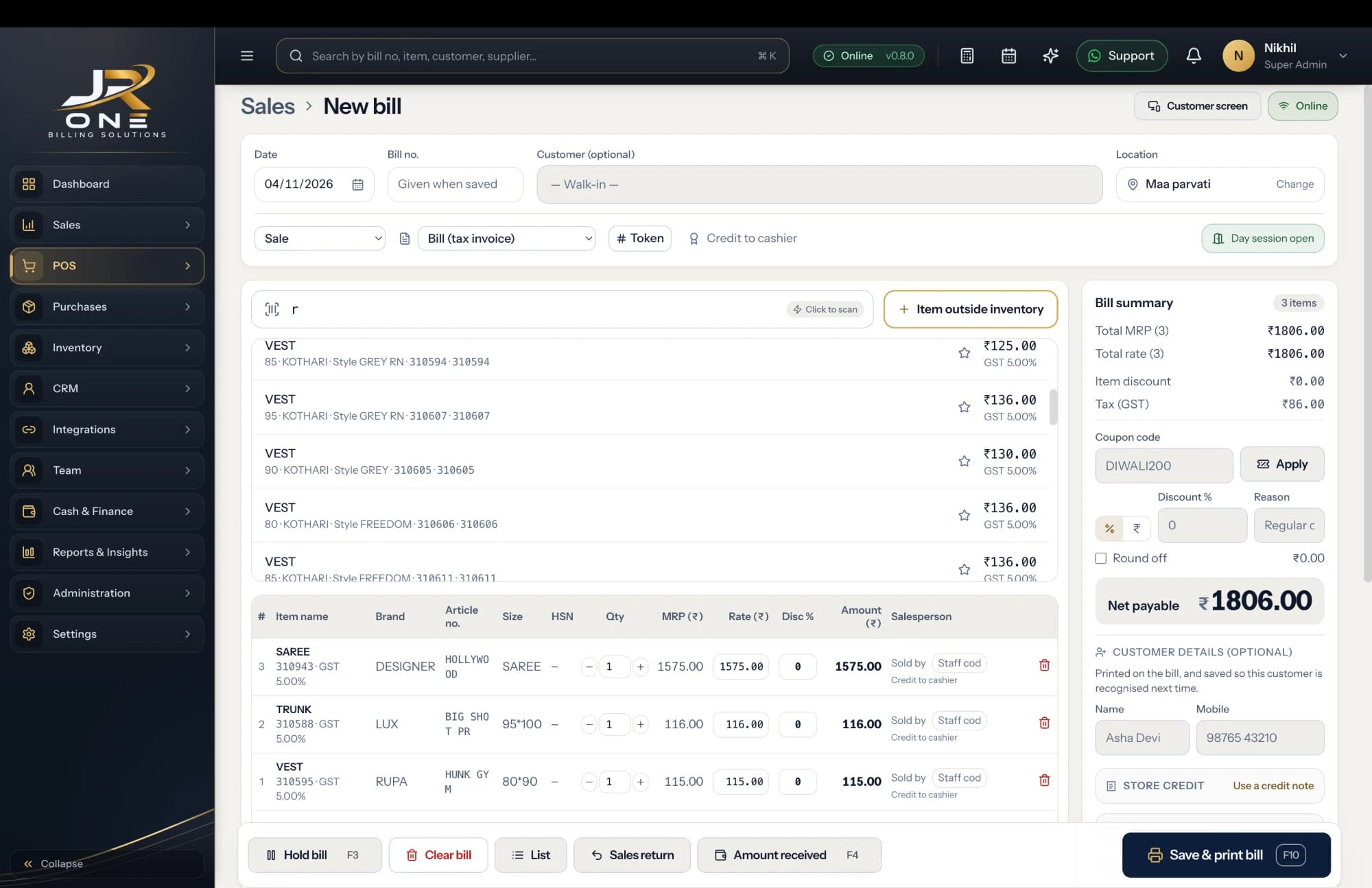
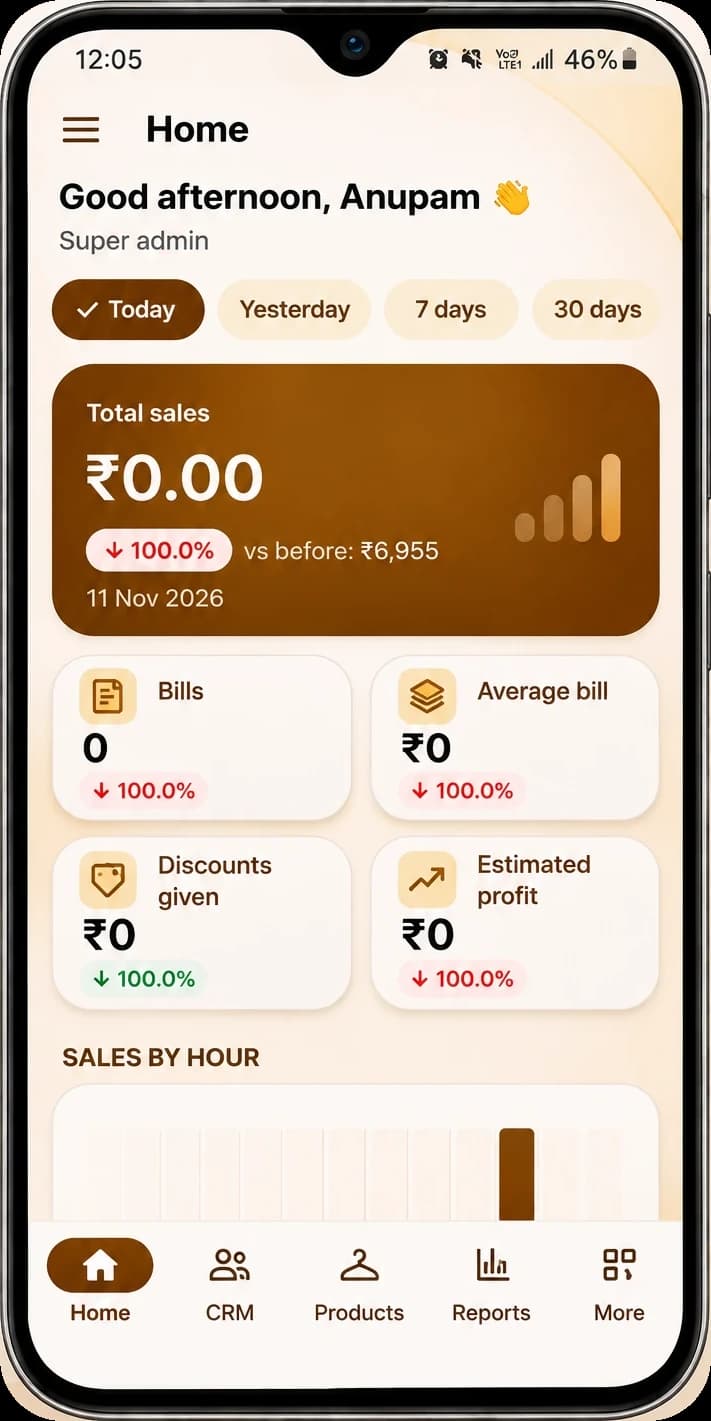
The JR ONE POS, with the mobile app showing Home
Explore featuresKeyboard end to end
Tab moves on, Enter starts a new line, F2 records payment, Ctrl+P saves and prints. Nothing needs a mouse.
Prints on your paper
A4 and A5 for a tax invoice, 58mm and 80mm thermal for a counter receipt, with your logo, GSTIN and signature.
Goes out on WhatsApp
Send a PDF or a web link your customer can open in any browser. No app needed on their phone.
Knows what is still unpaid
Record a part payment against specific bills, and the party balance and the overdue list update themselves.
A look at what you get today
Everything named here works in JROne now. The blurred rows are more features that we show in a live demo.
Billing and invoicing
- GST and non-GST invoices
- Estimates and quotations
- Sale orders
- Delivery challans
+13 more in Billing and invoicing shown in a live demo
See themPrint and share
- A4 and A5 print
- Thermal 58mm and 80mm receipts
- Invoice themes
- Logo and digital signature
+4 more in Print and share shown in a live demo
See themCustomers and suppliers
- Party master with GSTIN
- Billing and shipping addresses
- Opening balances, to receive or to pay
- Credit limit and credit period
+5 more in Customers and suppliers shown in a live demo
See themBefore you switch
How fast is billing, really?
A four-line invoice for an existing customer with barcoded items takes about twenty seconds on a keyboard. A new customer with items typed by name takes longer. The honest way to find out is to try it with your own items during the free first month.
Can I take a part payment against a specific bill?
Yes. A payment can be split across several invoices, and anything left over sits as an advance on the party account until you allocate it.
Can I convert a quotation into an invoice?
Yes, in one click. The same works for a sale order and a delivery challan, and the original document stays in the system marked as converted.
Do invoice numbers stay in sequence?
Yes. Numbers are allocated from a locked series per firm and financial year, so you never get a gap or a duplicate even when two people bill at the same time on different counters.
Can I edit or delete an invoice after saving it?
You can edit or cancel one, with a passcode if you turn that on, and every change is written to an activity log with the before and after values. Nothing is ever hard-deleted, because your books need to stay auditable.
Does it work on a phone?
Yes, the billing screen works in a phone browser and is usable for a few lines on the road. For counter billing all day, a laptop with a keyboard is much faster.