

Billing for a store withmore than one person on the floor
A mall store has problems a single-counter shop does not. Several people bill at once, the numbering still has to be clean, rent is often tied to what you actually sold, and the person at the till should not be able to see your margins. That is the shape of this page.
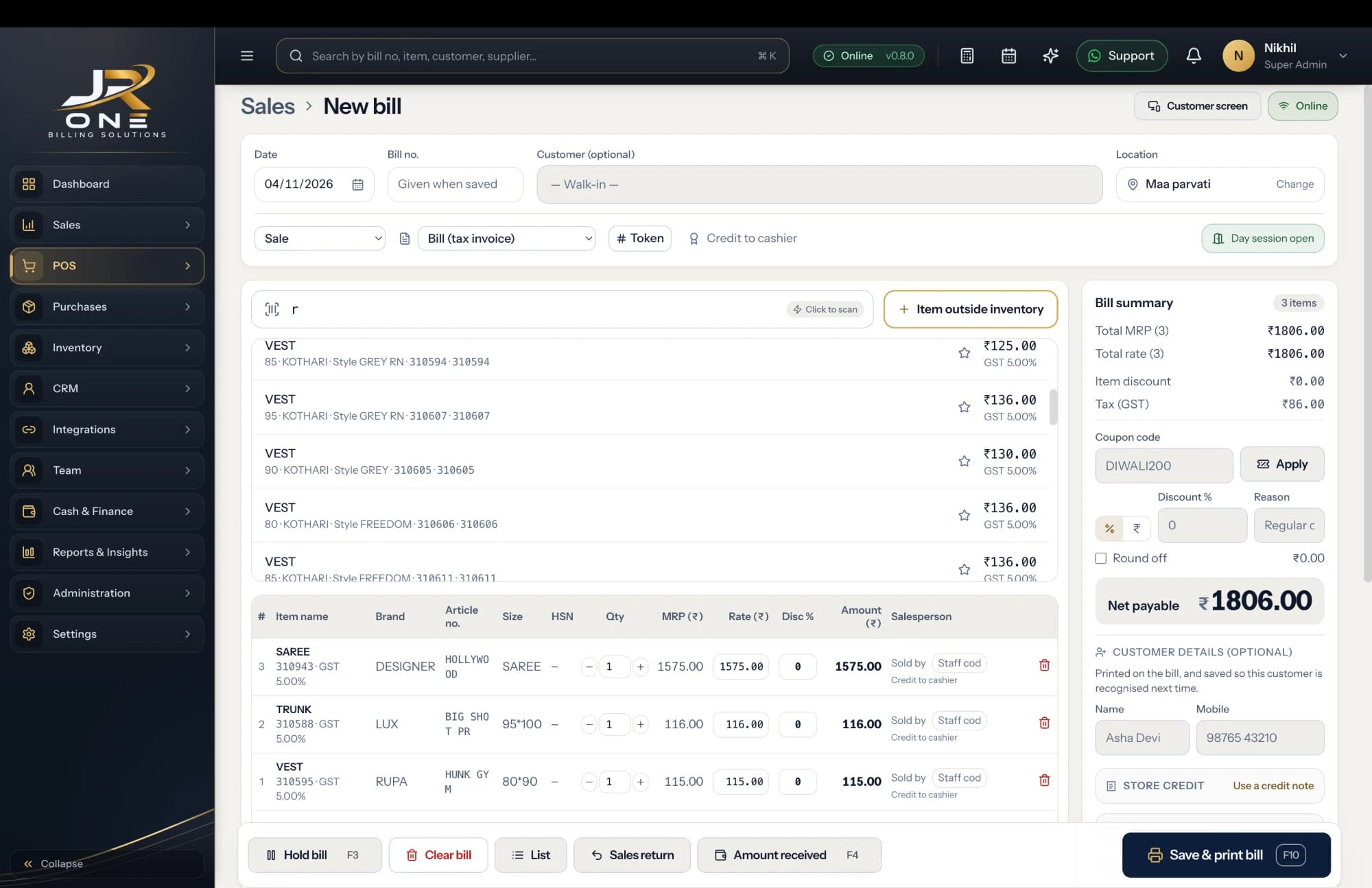
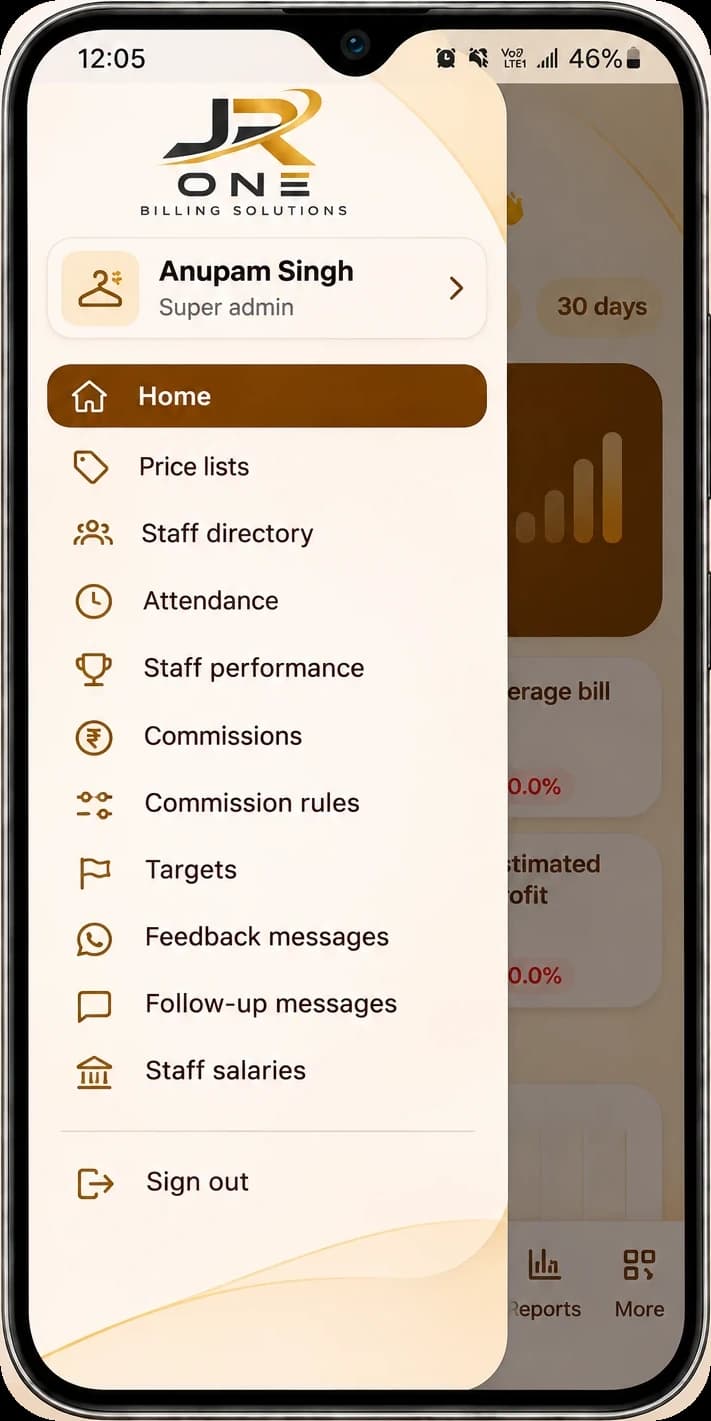
The JR ONE POS, with the mobile app showing Staff & management
Explore featuresA daily sales figure you can stand behind
Mall rent is often part fixed and part revenue share. Close the day, pull the day book, and hand over a figure that reconciles to the bills behind it.
Several cashiers, one clean series
Bill numbers are allocated under a lock, so two counters billing at the same second still get a gapless, unique series.
Staff who bill but cannot see margins
The salesman role bills and takes payment but cannot open purchase prices, profit or reports, and cannot delete anything.
More than one outlet, one login
Each outlet gets its own books, GSTIN and stock, and you switch between them without signing out.
Buy it if this is you
- You run one or more stores in a mall or on a high street
- Your rent includes a revenue share and you need daily sales numbers that reconcile
- Two or more people bill, and you want to know who sold what
- You want staff billing without exposing purchase prices or profit
- You want consolidated numbers across outlets without exporting three files
Wait for us if this is you
- You need a dedicated full-screen POS mode with a cash drawer — it is being built now, not live
- You need stock transfers between outlets, because multi-godown is not live yet
- You run a loyalty programme and need points earned and redeemed at the till
- Your mall network drops often enough that you need true offline billing
A look at what you get today
Everything named here works in JROne now. The blurred rows are more features that we show in a live demo.
Billing and invoicing
- GST and non-GST invoices
- Estimates and quotations
- Sale orders
- Delivery challans
+13 more in Billing and invoicing shown in a live demo
See themBusiness and team
- Multiple firms under one login
- Staff logins with role-based access
- Owner, admin, salesman and accountant roles
- Per-user sales attribution
+2 more in Business and team shown in a live demo
See themReports
- Sale report
- Purchase report
- Day Book
- All transactions
+6 more in Reports shown in a live demo
See themSetting JROne up for a mall store
JROne lets you switch off the fields your trade does not use, so the billing screen stays short. Here is the setup we would suggest.
- 1
Create one firm per outlet, each with its own GSTIN, bill series and stock. Switching between them is one click.
- 2
Give every cashier their own login on the salesman role, rather than sharing one. Per-user sales attribution only works if logins are not shared.
- 3
Set up your payment modes properly, including card and UPI, so the daily payment summary matches what the machine settled.
- 4
Turn on the passcode for edits and deletes. In a store with staff, the activity log is only useful if changes are deliberate.
- 5
Agree with your mall which report is the source of truth for revenue share, then pull the same one every day. The day book is usually the right one.
- 6
Put reorder levels on your fast movers so a replenishment request leaves before the shelf is empty.
Before you switch
Can two counters bill at the same time?
Yes. Each cashier signs in on their own device and bills into the same books. Invoice numbers come from a locked series, so simultaneous bills never collide or leave a gap, which matters when the numbering has to survive an audit.
Can I run more than one outlet?
Yes, up to five on the Multi-store plan, each with separate books, GSTIN and stock. What you cannot do yet is transfer stock from one outlet to another inside the product, because multi-godown support is on the roadmap. Today a transfer has to be recorded as an adjustment at both ends, which is workable but not elegant.
Can I give the mall a daily sales figure?
Yes. The day book shows every transaction for a date with totals, and the sale report gives the same figure across any range, exportable to Excel or PDF. Both tie back to individual bills, which is what matters when a revenue-share number gets questioned.
Can my cashiers see how much profit I make?
Not on the salesman role. They can create bills and record payments. Purchase prices, profit figures, reports and settings are all hidden, and they cannot delete a saved invoice.
Is there a proper POS screen for a till?
Not yet. The regular billing screen is keyboard-driven and fast enough for most counters, but a dedicated full-screen POS mode with cash-drawer support is still being built. If you need a till-style interface today, this is a genuine reason to wait.
Does it connect to my card machine?
No. You record the payment mode on the bill so your daily summary splits cash, card and UPI, but JROne does not talk to the EDC terminal and does not pull settlement data from it. You will still reconcile against the machine at close.